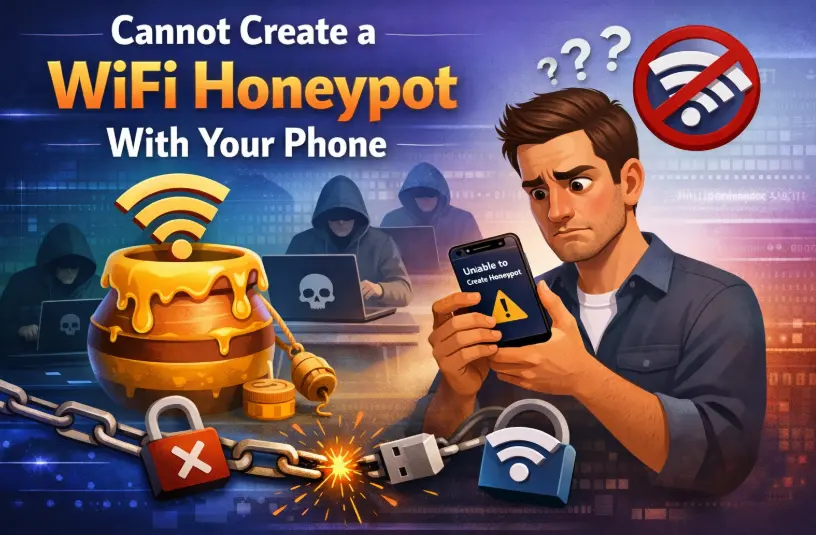
Can You Create a WiFi Honeypot With Your Phone? Honest Answer
Can you create a wifi honeypot with your phone. Yes, but only in a limited way. A phone can act like a simple fake WiFi hotspot to test how devices connect, but it cannot log, control, or analyze behavior like a real honeypot system.
At first, it feels like everything should work. Your phone has WiFi. It can broadcast a hotspot. Devices can connect. So naturally, it seems like you already have a honeypot in your pocket.
But once you try to go deeper, things change fast. The setup looks right on the surface, yet the insight you expect is missing.
That’s exactly what this guide clears up. By the end, you’ll know what actually works, what doesn’t, and how to use your phone the smart way instead of wasting hours guessing.
Key Takeaways
- A phone can create a hotspot, but not a full WiFi honeypot
- Real honeypots depend on logs, which phones don’t provide
- A fake WiFi hotspot on phone only shows connection behavior
- Android gives slightly more flexibility than iPhone
- iPhone is simple but very limited for testing
- Phones are useful for testing trust and auto-connect behavior
- Serious honeypot work needs better tools than a phone
- A phone is a starting point, not a final solution
Can You Create a WiFi Honeypot With Your Phone?
Let’s clear this properly, step by step, the way someone with real hands-on experience would explain it.
A phone can simulate a very small part of a WiFi honeypot.
A phone cannot function as a real WiFi honeypot system.
That is not a technicality. That is the difference between a quick demo and actual security testing.
Most articles stop at “yes, you can.” That answer is incomplete and honestly misleading. What matters is what exactly you can do, what you cannot do, and why that difference exists.
First, understand what you’re really trying to do
When this question comes up, the real intention is usually one of these:
- Test how devices behave when they see a WiFi network
- Create a fake WiFi hotspot on a phone
- Run a small security experiment
- Build a WiFi honeypot for learning
All of these sound similar, but they are not the same.
- A hotspot gives access.
- A honeypot gives insight.
That single line explains everything that follows.
What actually happens when you try this on your phone
Let’s walk through a realistic scenario.
- Hotspot gets turned on.
- A custom SSID is set.
- Another device scans and finds it.
- Connection happens.
Up to this point, everything feels correct.
Now comes the important part. You expect to learn something from this setup.
Instead, here is what you actually get:
- A basic indication that a device is connected
- Possibly a device name
- Maybe a count of connected clients
And that is where it stops.
There is no deeper layer.
- No timeline of events.
- No record of connection attempts.
- No detail about what the device is doing after connecting.
At that moment, it becomes clear:
This is a hotspot, not a honeypot.
What your phone is actually capable of (real use cases)
Now let’s be fair. A phone is not useless here. It just has a very specific role. A smartphone can help with first-layer behavior testing. That means observing how devices behave before anything advanced even starts.
Here is what that looks like in practice
A laptop has previously connected to a network called “Home_WiFi”.
Later, your phone broadcasts the same name. The laptop connects automatically. That one moment tells you something important. Devices often trust familiar network names without thinking. You did not need advanced tools to see that. A phone was enough.
What you can reliably test with a phone
- Auto-connect behavior of devices
- How devices react to known SSIDs
- Whether a device prompts for confirmation
- Differences between operating systems (Windows, Android, iOS, etc.)
- How quickly devices trust a network
These are real, practical insights.
In fact, for awareness and basic security understanding, this layer is extremely valuable.
Where the phone starts failing (and why)
Now let’s go deeper. The moment you try to turn this into a real WiFi honeypot, the limitations become obvious.
1. No meaningful logging
A proper honeypot depends on logs. You need to know:
- When connections happen
- How often they happen
- Whether attempts failed or succeeded
- Patterns over time
A phone does not give you this. Without logs, there is no analysis.
2. No control over network behavior
A real honeypot requires control over how the network behaves. That includes:
- Handling connection attempts
- Managing authentication flow
- Controlling responses to devices
On a phone, the operating system handles all of this. There is almost no room to customize it. You are not building the system. You are using a locked feature.
3. No visibility into device activity
This is the biggest gap.
After a device connects, what happens next?
- Does it try to reach certain services?
- Does it send background requests?
- Does it behave differently based on network name?
With a phone, you cannot properly observe this. And that means you lose the most valuable part of a honeypot.
4. No repeatability (this is underrated)
Good testing requires consistency.
With a phone:
- Battery affects performance
- Heat affects stability
- Different models behave differently
- OS updates change behavior
This makes results less reliable.
In real testing, that becomes a serious problem.
Android vs iPhone (real-world comparison)
Android
Android gives more flexibility.
Some devices allow:
- More hotspot configuration
- Slightly different behaviors
- More experimentation
That makes Android the better option if someone wants to try this.
Still, the core limitations remain.
- No deep logging.
- No full control.
- No proper traffic visibility.
iPhone
The iPhone is simple and restricted. Hotspot works well for sharing internet. But for this use case:
- Customization is minimal
- Control is limited
- Testing depth is shallow
So while it works smoothly, it is not suitable for honeypot-style testing beyond basics.
The core truth most people miss
A phone can attract connections.
A honeypot must analyze behavior.
That is the gap.
A fake WiFi hotspot on a phone solves the first problem.
A real honeypot solves the second.
This is why many people feel stuck after trying this. The setup looks right, but it does not produce useful results.
When a phone is actually the right choice
There is a place where a phone makes perfect sense.
Use it when:
- Running a quick lab test
- Teaching basic security awareness
- Checking device behavior
- Testing trust in network names
It is fast, simple, and already available. That makes it a great starting tool.
When you need something better
The moment your goal shifts to understanding behavior in depth, the phone stops being enough.
Real honeypot work requires:
- Detailed logging
- Network control
- Traffic visibility
- Stable environment
That is where better tools come in.
- A router improves stability.
- A small system improves control.
- A proper setup improves visibility.
Now the test becomes meaningful.
Legal boundary (clear and simple)
This kind of testing should stay inside:
- Your own devices
- Your own lab
- Or environments with permission
Anything outside that creates risk very quickly.
Final answer (complete and honest)
So, can you create a WiFi honeypot with your phone?
Yes, but only at the surface level.
You can:
- Broadcast a network
- Attract connections
- Observe basic behavior
You cannot:
- Log activity properly
- Control network behavior
- Analyze what happens after connection
That is the full picture.
A phone helps you see how devices connect.
A real honeypot helps you understand what happens after they connect.
That is where the real learning begins.
FAQ
Can a phone act as a WiFi honeypot?
Yes, in a limited way. It can act as a decoy network, but not a full honeypot system.
Is Android better for this?
Yes, slightly. It allows more flexibility, but still does not provide full honeypot capabilities.
Can an iPhone be used?
Only for very basic testing. It is too restricted for deeper use.
Is this useful for learning?
Yes. It is very useful for understanding how devices trust and connect to networks.
Closing thought
The idea sounds advanced, but the reality is simple. A phone shows connection behavior. A real honeypot reveals device behavior after connection. That second layer is where real insight lives.