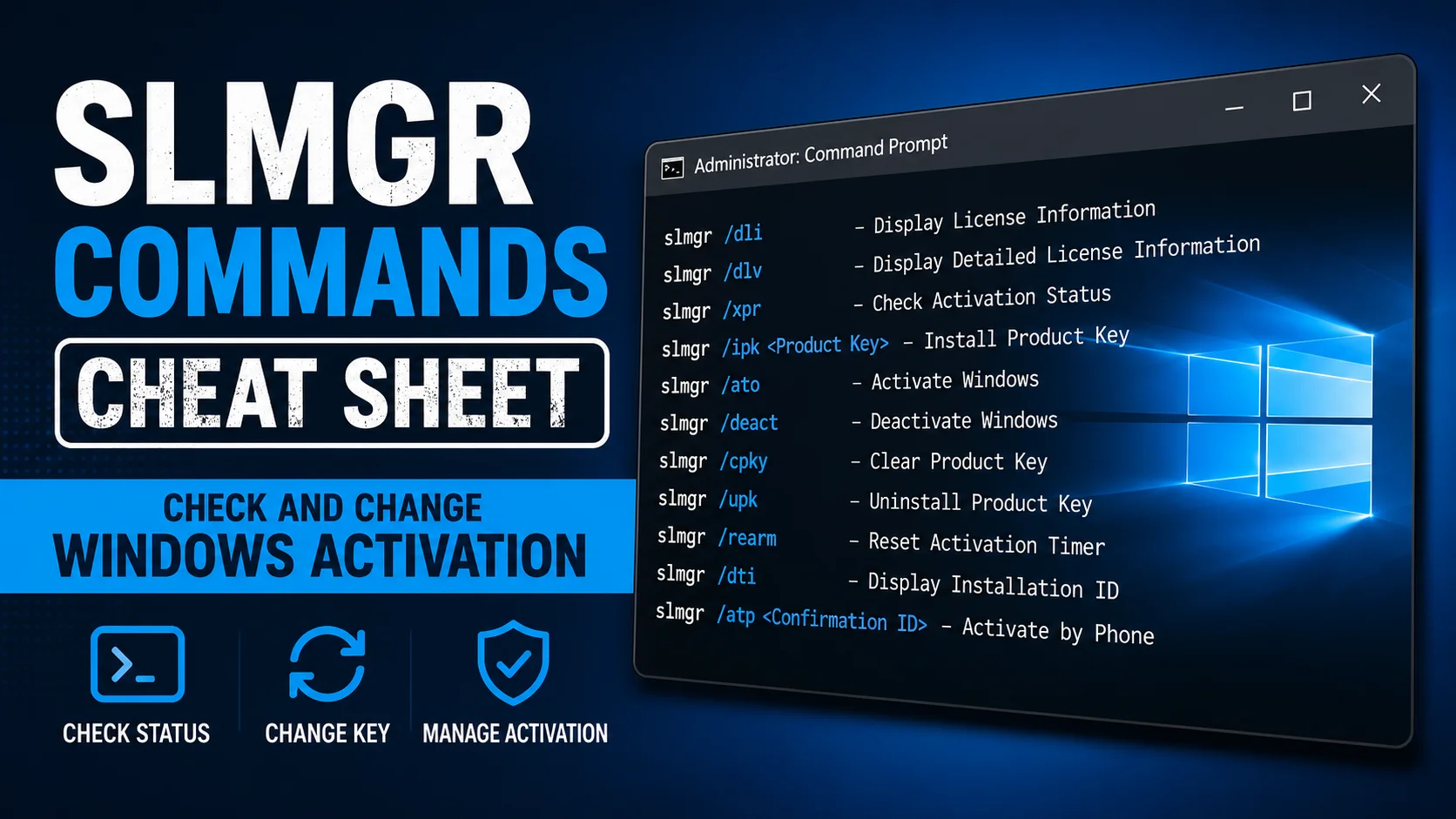
slmgr Commands Cheat Sheet: Check and Change Windows Activation
So, What is slmgr?
slmgr, short for Software Licensing Management Tool, is a built in Windows command that lets you check, install, and troubleshoot your Windows activation and product key, all from a Command Prompt window. You do not need to install anything extra, it comes with every copy of Windows.
How to open slmgr
- Click the Start button and type cmd
- Right click Command Prompt and choose Run as Administrator
- Type any of the commands below and press Enter
You must run Command Prompt as Administrator, otherwise most slmgr commands will not work.
The most useful slmgr commands
Check your activation status
slmgr /xpr
This is the fastest way to check if Windows is activated. It pops up a small window telling you either that Windows is permanently activated, or exactly when your current activation period ends.
See full license details
slmgr /dlv
This shows detailed information, including your edition, partial product key, activation method (like KMS), and how many days are left if you are on a temporary activation. This is the best command for troubleshooting.
Install a new product key
slmgr /ipk XXXXX-XXXXX-XXXXX-XXXXX-XXXXX
Replace the X’s with your real product key or a generic key. This installs the key but does not activate Windows by itself, you may need to run the activation command next.
Activate Windows online
slmgr /ato
This tells Windows to try activating right now using whatever key is currently installed, either by contacting Microsoft directly or reaching out to your organization’s KMS host.
Remove the current product key from view
slmgr /cpky
This clears the product key from the registry so it cannot be seen by other programs, without affecting your current activation. Useful for privacy on shared or public computers.
Set which KMS server to use
slmgr /skms servername:port
This points your computer to a specific KMS server, useful if your network has more than one and Windows is not finding the right one automatically.
Clear the KMS server setting
slmgr /ckms
This removes any manually set KMS server address, so Windows goes back to automatically searching the network for one.
Reset the activation timer (rearm)
slmgr /rearm
This resets the activation grace period, giving you more time before Windows needs to activate. It is mostly used when preparing a fresh Windows image for future deployment, and it can typically only be used a limited number of times.
Quick reference table
| Command | What it does |
| slmgr /xpr | Shows if Windows is activated, and when the current period ends |
| slmgr /dlv | Shows full detailed license and activation information |
| slmgr /ipk <key> | Installs a new product key |
| slmgr /ato | Tries to activate Windows right now |
| slmgr /cpky | Hides the product key from view without affecting activation |
| slmgr /skms <server> | Sets a specific KMS server to use |
| slmgr /ckms | Clears a manually set KMS server |
| slmgr /rearm | Resets the activation grace period timer |
Common problems and fixes
“Access denied” error when running a command
You are not running Command Prompt as Administrator. Close it and reopen it using Run as Administrator.
slmgr /ato fails to activate
This usually means your computer cannot reach a KMS server on the network, or your key does not match your Windows edition. Check your network connection and confirm the key with your IT department.
slmgr /dlv shows the wrong KMS server
Run slmgr /ckms to clear it, then let Windows search the network again automatically, or use slmgr /skms to manually point to the correct one.
Frequently asked questions
Is slmgr safe to use?
Yes, it is a built in Microsoft tool included with every copy of Windows. None of these commands can damage your computer.
Do I need internet access for slmgr commands to work?
Checking your status with /xpr or /dlv works offline. Activating with /ato needs either an internet connection or access to your organization’s local KMS server.
What is the difference between slmgr and the Settings app activation page?
Settings shows a simple, friendly summary. slmgr gives you the full technical details and lets you make changes, like installing a new key or switching KMS servers, that Settings does not offer.
What to do next
If your activation status looks wrong or your key will not install, our guide on KMS vs MAK vs digital license helps you figure out which type of license you actually have, which is usually the first thing to check.